

Layering Your Cheerleader MagicBand Decal


For general Tips and Hacks to make layering decals simple, click here.
Step 1:

Clean your MagicBand with the alcohol wipe included with your decals.

Step 2:
Peel the white backing off the large blue decal. Using the clear transfer tape, place the Mickey head on the MagicBand.

Step 3:
Remove the transfer tape by peeling it off. If the decal starts to lift off, press it back down.

Step 4:
Peel the white backing off the largest gold decal. Place the decal in the middle of the blue decal.

Step 5:
Remove the transfer tape by peeling it off. If the decal starts to lift off, press it back down.

Step 6:
Peel the white paper backing off the one of the medium gold decals. Place it on one of the ears.

Step 7:
Remove the transfer tape by peeling it off. If the decal starts to lift off, press it back down.

Step 8:
Peel the white paper backing off the other medium gold decal. Place it on the other ear.

Step 9:
Remove the transfer tape by peeling it off. If the decal starts to lift off, press it back down.

Step 10:
Peel the white backing off the medium blue decal. Place it in the middle of the head, on the gold decal.
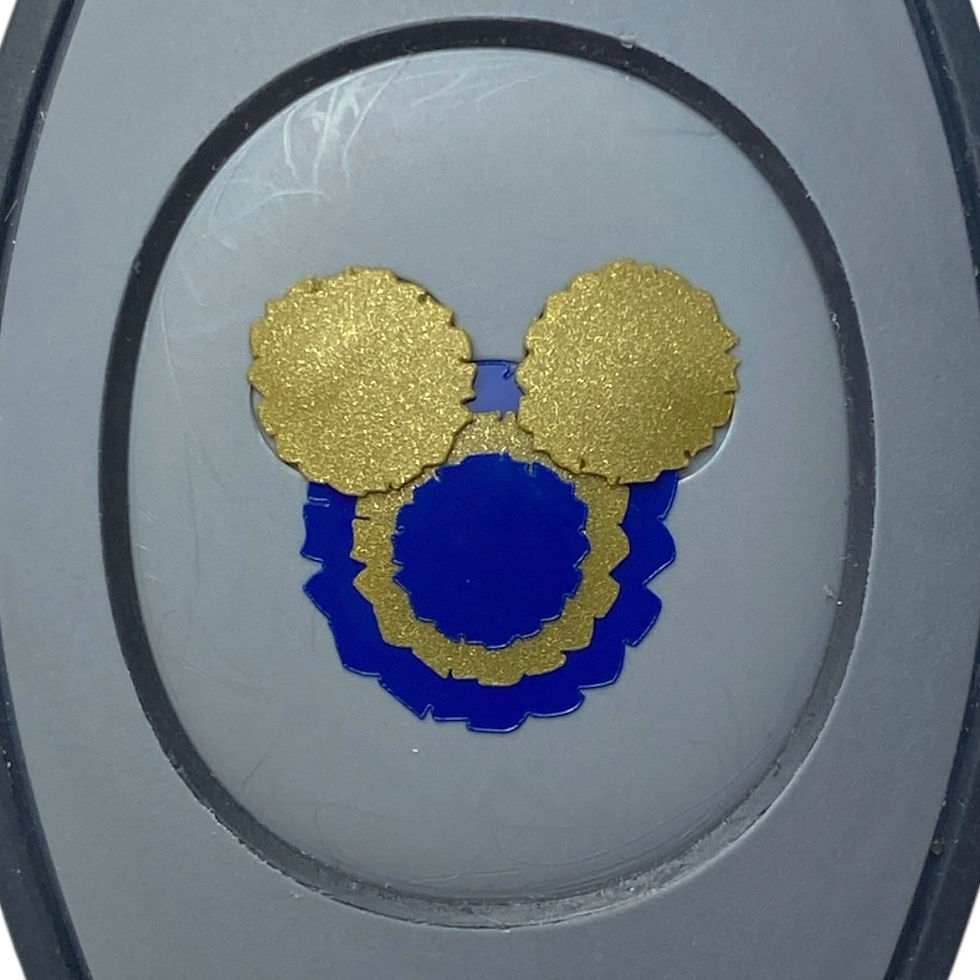
Step 11:
Remove the transfer tape by peeling it off. If the decal starts to lift off, press it back down.

Step 12:
Peel the white backing off one of the small blue decals. Place it in the middle of the gold decal on one ear.

Step 13:
Remove the transfer tape by peeling it off. If the decal starts to lift off, press it back down.

Step 14:
Peel the white backing off the other small blue decal. Place it in the middle of the gold decal on the other ear.
Step 15:
Remove the transfer tape. You're done!
For more decals like this one, check out TheMousierge shop on etsy!


Comments